How to Host Your Own Family Feud Game
Learn how to host your own Family Feud game using paper, a whiteboard, Excel, or an online platform like Customfeud.
Custom Feud Team
3 min read

Planning a family gathering, office party, classroom activity, or game night with friends? A Family Feud game is a great way to get everyone involved, laughing, and competing.
The best part? You don't need a television studio or expensive equipment to host your own game. With a few questions, two teams, and a way to display answers, you can recreate the experience almost anywhere.
Here are four easy ways to host your own Family Feud game.
1. The Paper and Pen Method
If you want a simple, budget-friendly setup, paper is all you need.
Prepare your survey questions and write the possible answers on separate pieces of paper. Fold or cover the answers so players cannot see them before guessing.
When a team gets an answer right, reveal the corresponding paper and award the points.
What you'll need:
- Paper and pens
- Prepared questions and answers
- A scoreboard
- Someone to host the game
This works well for small gatherings, although manually preparing and revealing answers can become time-consuming.
2. Use a Whiteboard
A whiteboard makes the game feel a little more like a real game show.
Write your questions and numbered answer slots on the board, keeping the answers hidden until players guess them. You can use sticky notes or another sheet of paper to cover the answers.
The host can reveal each answer, record strikes, and update the scores as the game progresses.
Best for: Family gatherings, classrooms, and small office events.
3. Create Your Game Using Excel or Google Sheets
Want something more organized without using a dedicated game platform? A spreadsheet can do the job.
Create a table with your questions, possible answers, point values, and team scores. You can keep the answer column hidden and reveal answers as players guess them.
You can also use formulas to calculate scores automatically.
Best for: People who want a customizable game without much additional setup.
The downside is that you'll still need to manage the presentation, answer reveals, and player interactions yourself.
4. Use an Online Family Feud Game Platform
If you want a smoother experience, an online game platform is probably your best option.
Instead of manually preparing paper cards, updating spreadsheets, and managing everything yourself, you can use a platform designed specifically for hosting Feud-style games.
Host Your Game With Customfeud
Customfeud makes it easier to create and host your own interactive Family Feud-style games.
Here's what you can do:
- Interactive game board: Display questions and reveal answers through a dedicated game board.
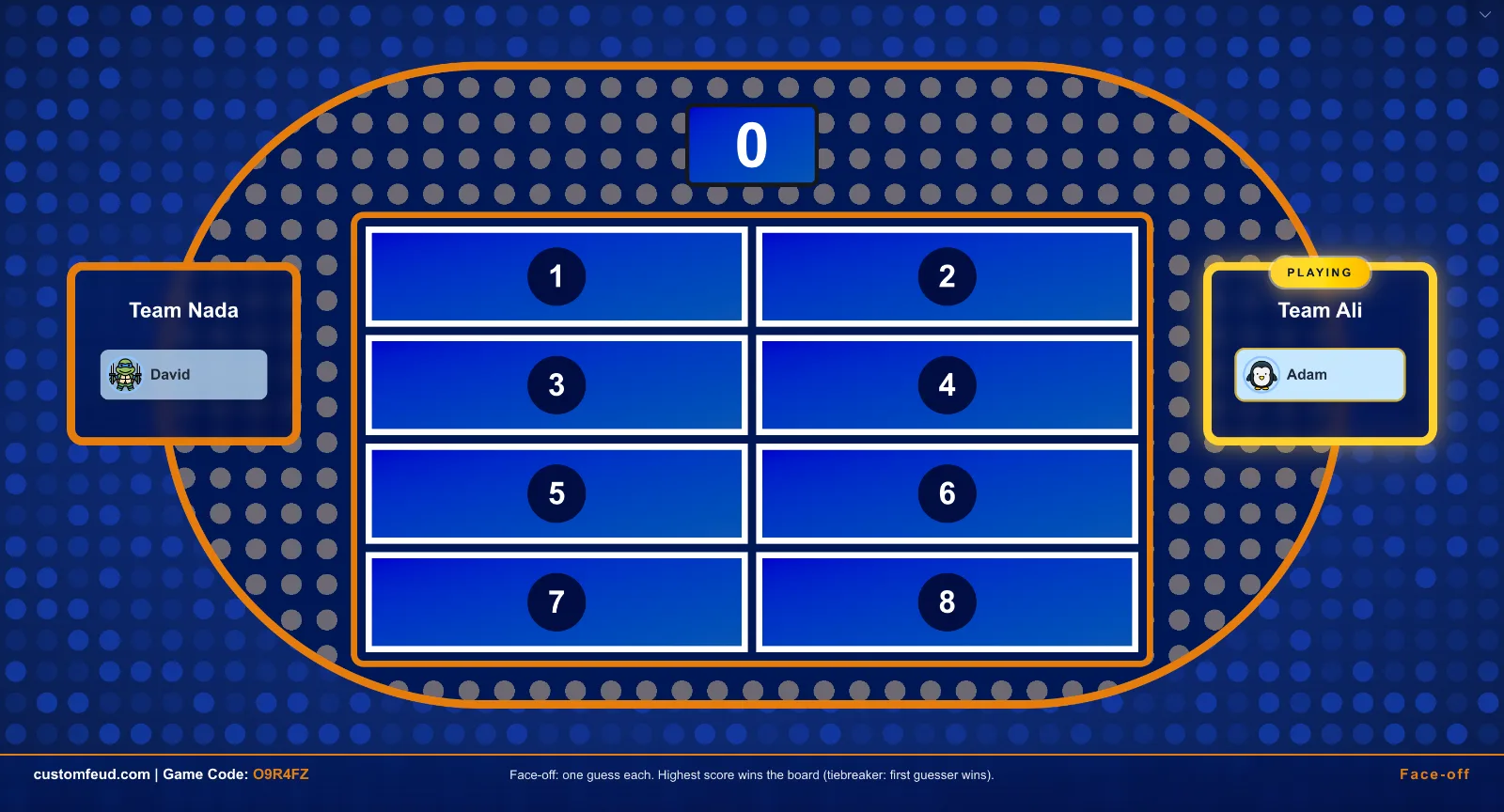
- Remote control: Control the game from another device while displaying the board on a separate screen.
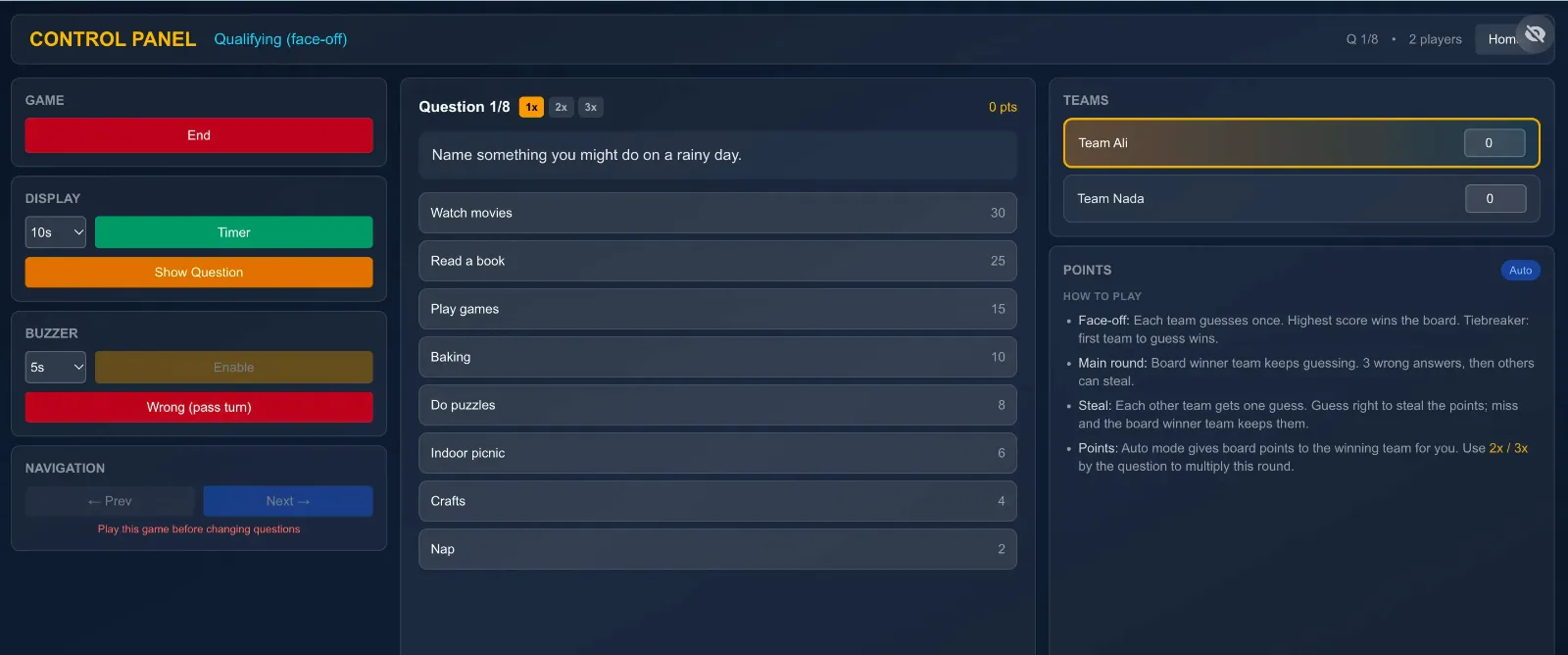
- Mobile buzzers: Let players join using their phones and buzz in during the game.

- Ready-made question sets: Get started with existing question sets instead of preparing everything from scratch.
- AI question generation: Generate custom questions with AI to create games around your preferred topics.
Whether you're hosting a family game night, a virtual event, or a team-building activity, Customfeud brings the different parts of the game together in one place.
Create your own game on Customfeud and get started!
Tips for Hosting a Great Family Feud Game
Regardless of which method you choose, a few simple things can make your game much more enjoyable:
- Divide players into two teams: Try to keep the teams balanced.
- Choose fun questions: Everyday topics, food, movies, relationships, and funny situations are great starting points.
- Have a dedicated host: Someone should manage questions, strikes, answer reveals, and scoring.
- Use buzzers: They make face-offs more exciting and keep the game competitive.
- Keep the pace moving: Avoid long breaks between rounds.
Most importantly, don't worry about making everything perfect. The unexpected answers, friendly arguments, and team competition are what make Family Feud so entertaining.
Ready to Host Your Own Game?
You can host Family Feud with nothing more than paper and a pen, or create a more interactive experience using an online platform.
If you want to spend less time managing the game and more time enjoying it, give Customfeud a try.
Create your questions, invite your players, and let the competition begin!